For agencies, creators and in-house teams
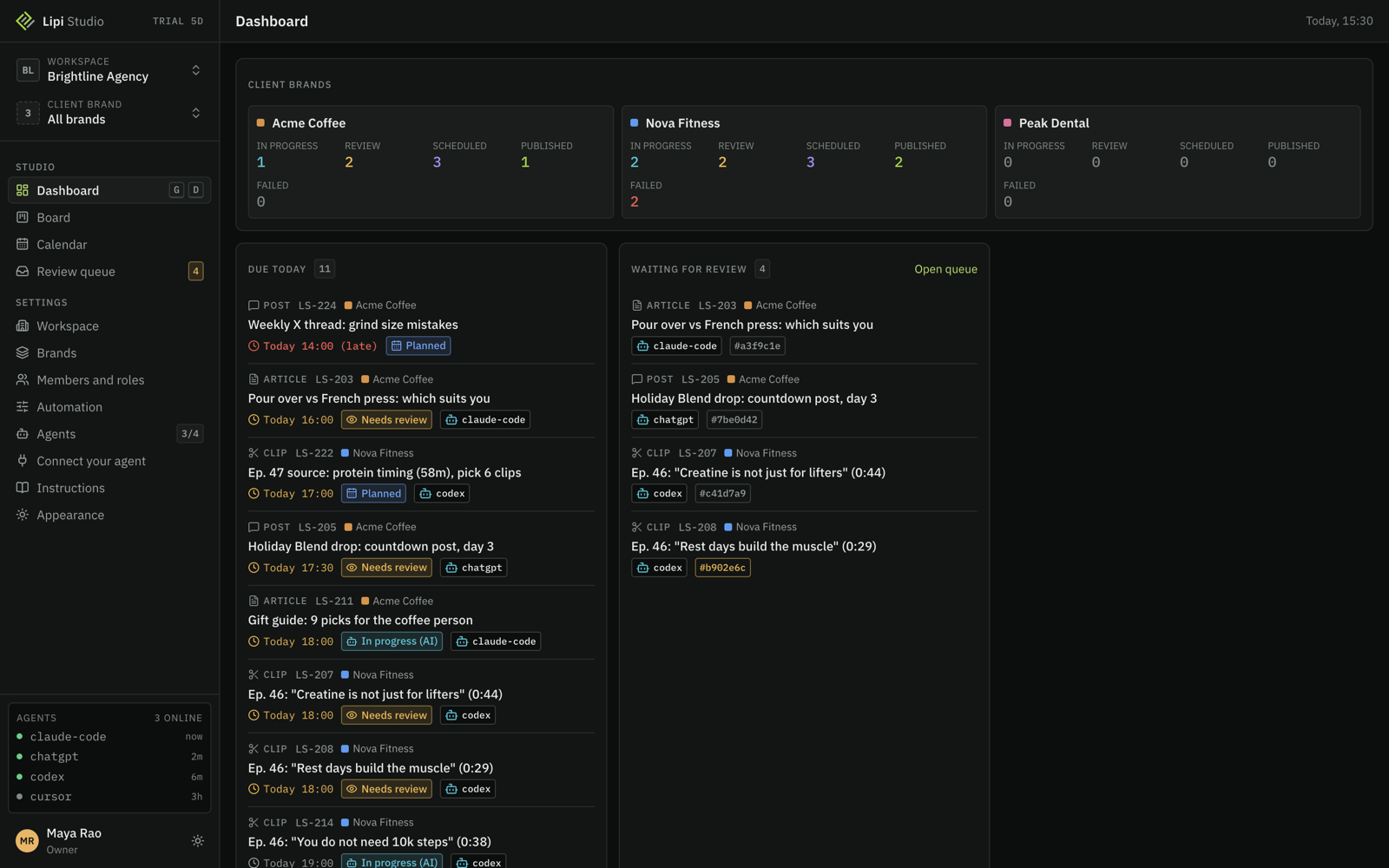
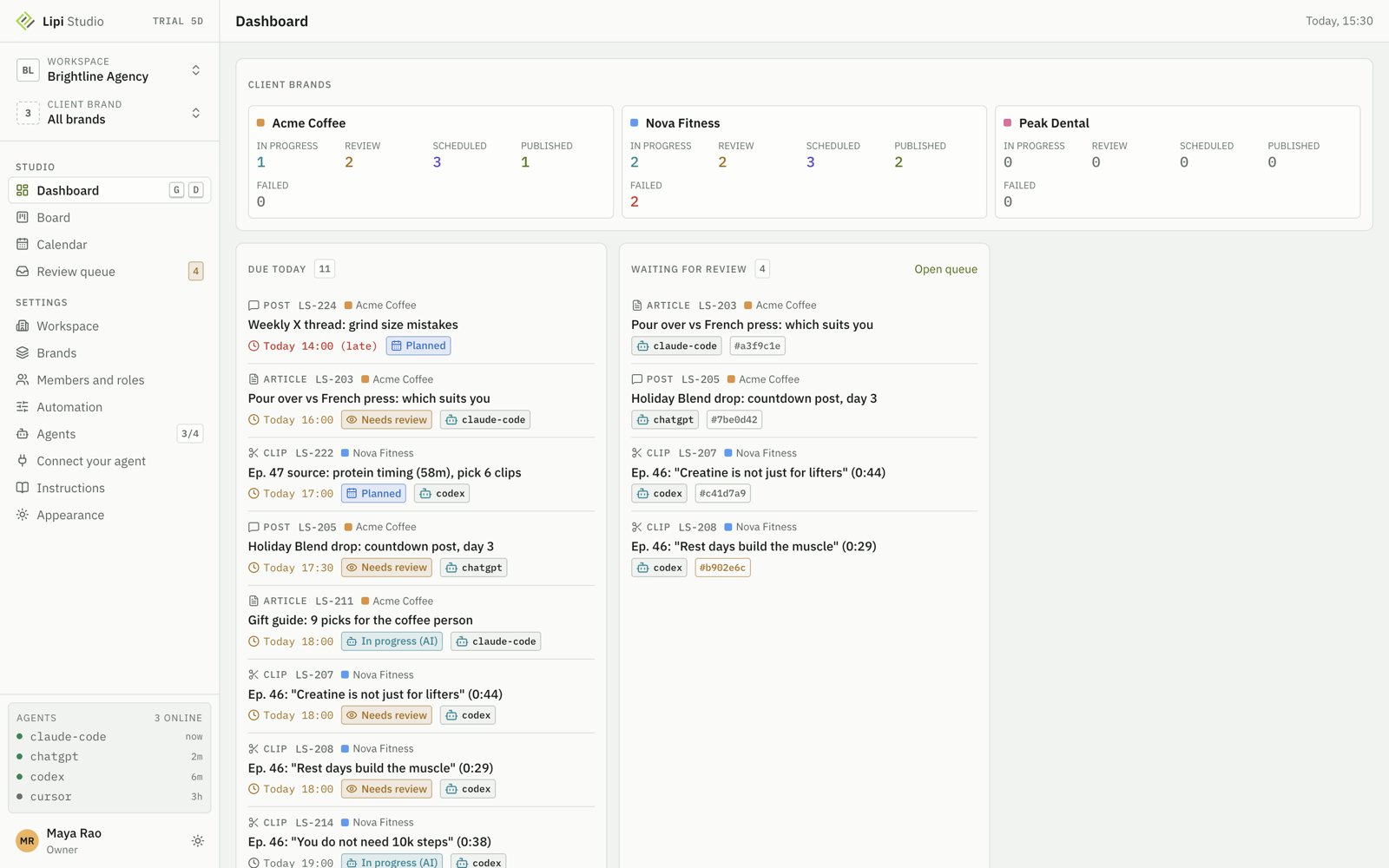
Studio is the instructions, history, visibility and storage layer. Your AI agents do the work over MCP.
Write your rules once. Your own agent plans, writes, builds and posts, and Studio shows every step, keeps every version and holds everything until a person or an approved agent says go.
How it works
One loop for every piece of work
Every article, post, clip and video is an item that moves through the same seven steps. Studio owns the rules and the record. Your agent does the doing.
- InstructionGuides, skills, kit and playbooks, versioned and hash-checked.
- TaskDue work and thread comments become tasks your agent claims.
- BuildYour agent writes, edits and renders, then submits a version.
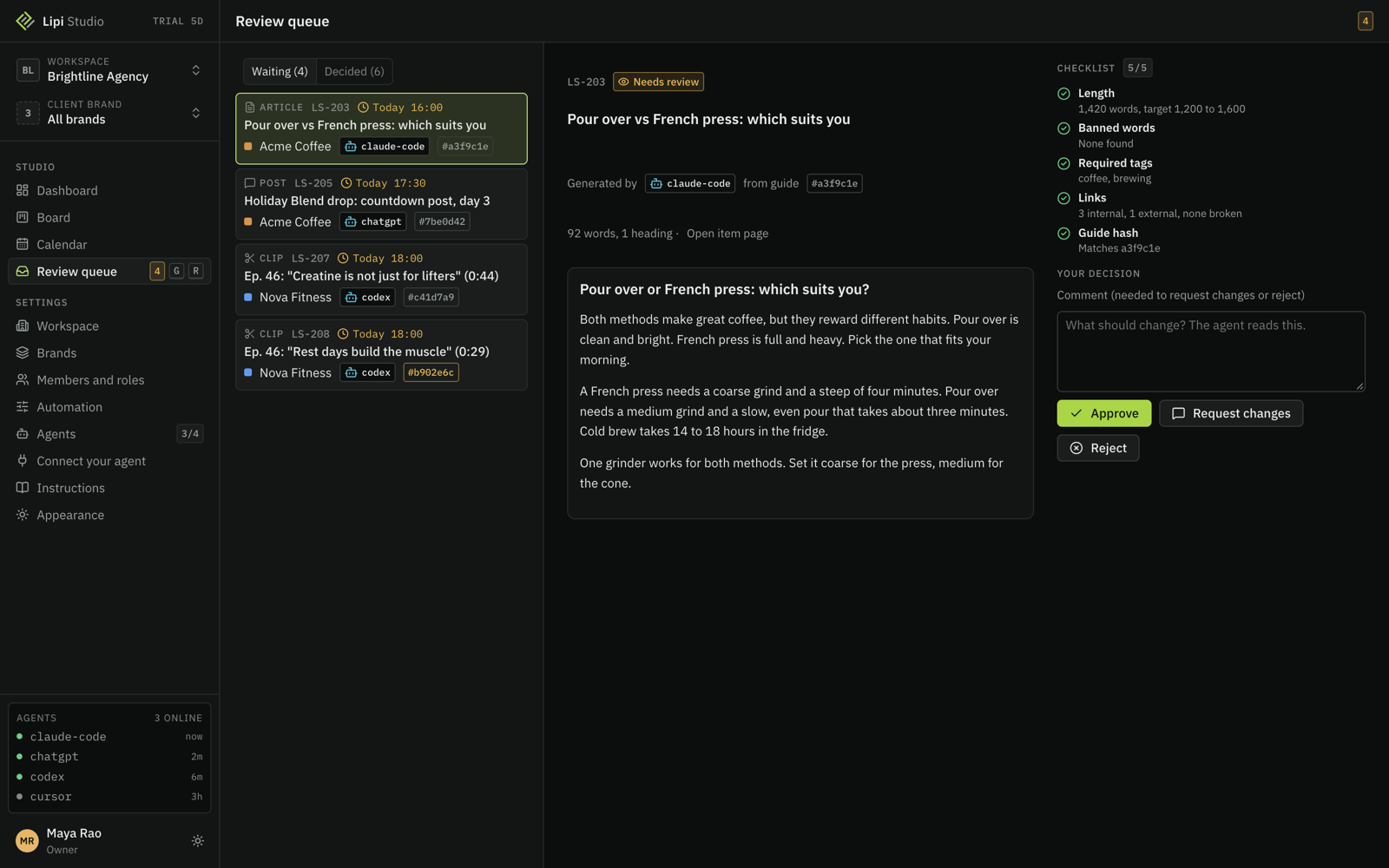
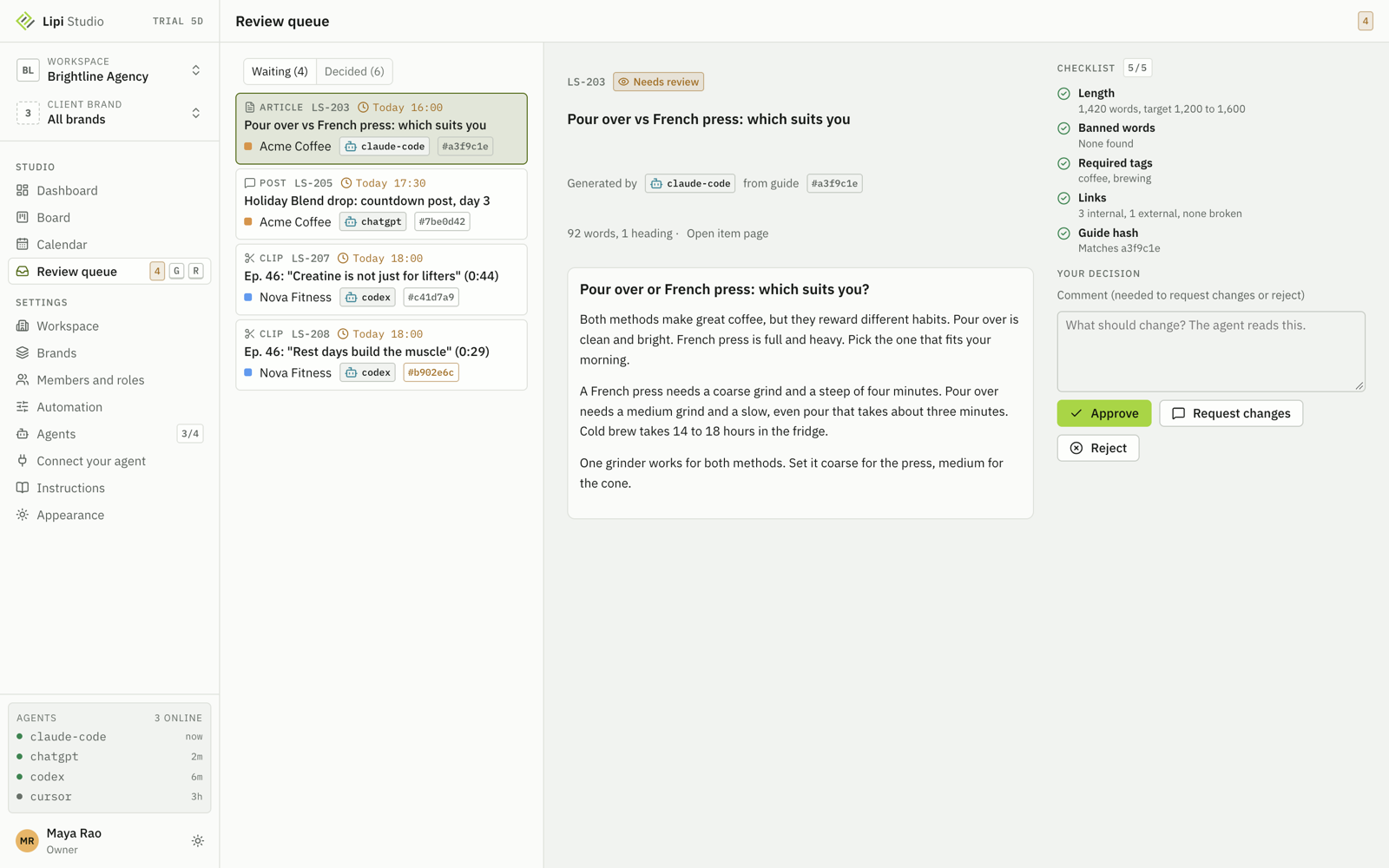
- ReviewHumans or agents check it against the guide, with anchored comments.
- ApproveNothing unapproved is ever published.
- PublishStudio, your agent or you post it, at the scheduled time.
- MeasureViews and results come back to the item and the dashboard.
Agencies
One client, one workspace
Each client of your agency is a workspace with its own kit, channels, campaigns, boards, guides and analytics. You pay for the workspaces you run: an agency with 5 clients pays USD 180 a month.
Seats and roles
Owner, Admin, Editor, Author and Viewer. 5 seats are included.
Rules that layer
Workspace guides apply to every client. A campaign or a playbook can override them, and your agent gets the merged result.
White-label look
Set your own accent color and logo, so your clients see your agency.
Clipping
Clips for creator campaigns
Running clips for paid-per-view creator campaigns? Keep the source files, the campaign rules, the layout templates and every posted link in one place. Your agent reads the transcript, picks the moments and proposes the cuts, and you trim and approve.
Picks and cuts
Start and end times, a hook, a title and tags, with a timeline to adjust.
Campaign tracking
Clips per campaign, the links you posted and the views you record, with estimated earnings.
Layout templates
Face and content regions, captions and hooks, saved per workspace or per campaign.
Rendering runs in your own agent on your own computer, using the recipes Studio gives it. Studio stores the specs, the clips and the results and renders nothing heavy.
Publishing targets
Post where your audience is
Choose per workspace, playbook or channel who posts: Studio at the scheduled time, your agent from your own browser, or you by hand. Any combination works, and all of them only post approved items.
- Bluesky
- Mastodon
- X
- Telegram
- Discord
- Slack
- Nostr
- Hosted blog on your domain
- WordPress
- Ghost
- Signed webhook
- Your own MCP
Bluesky, Mastodon, X, Telegram, Discord, Slack and Nostr built in. Any other network through your own agent and your own browser. More direct connections coming.
Agents
Works with any MCP agent
Studio runs no model. You connect the agent you already use, sign in once, and it gets the tools, the instructions and the queue. Setup is a copy-and-paste per client.
- Claude
- ChatGPT
- Codex
- Cursor
- Gemini CLI
- Hermes
- and any other MCP client
These are the names of tools you may already use. Lipi Studio is not affiliated with or endorsed by their makers.
Security and control
You decide what goes out
Approval toggles
Nothing unapproved is published. Choose whether agents may approve, per workspace and playbook. Turn it off and approval is human-only.
Audit log
Every action by an agent or a person is recorded, including who approved and which instructions the work used.
Agents are visible
Each agent has its own name and badge. You see who did what, when it was last online and which instruction version it used.
Your data stays yours
Export or delete it when you want. Card details never touch Studio, because our payment partner handles billing.
FAQ
Questions people ask first
Does Studio run an AI model?
No. Studio never calls a model, so there is no AI bill from us. Your own agent, on your own plan, does the work and talks to Studio over MCP.
Which agents work with it?
Any agent or client that speaks MCP. Claude, ChatGPT, Codex, Cursor, Gemini CLI and Hermes have copy-and-paste setup on the docs page. Agents that cannot run tools on a computer can still plan, write, review and publish, but cannot render video.
Can an agent publish something I have not approved?
No. Studio refuses to publish an item that is not approved. Whether an agent may approve is a switch you control per workspace and playbook. Turn it off and only people can approve.
What if my agent is offline?
Studio shows the task as overdue and that no agent picked it up, along with when each agent was last seen. Agents work while their session is open, so keep one running or schedule a routine in your agent.
Do I have to connect my social accounts?
No. You can connect Bluesky, Mastodon or X, or use agent-posted mode, where your own agent posts from your own signed-in browser and reports the link back. Any other network works the same way, through your own agent and browser. Studio stores no tokens for agent-posted channels. Some networks limit automated use in their terms, and you are responsible for your accounts.
How is it priced?
USD 100 a month or USD 1000 a year, with 5 seats and 1 client workspace included. Extra seats and extra client workspaces are add-ons. The pricing page has a calculator.
Give your agents a place to work.
7 days free. Card required, cancel any time.